AI Sidekick Early access

A friendly AI buddy your kid can talk to.

Sidekick chats, plays games, does tricks and tells bedtime stories with kids aged 4 to 12, in words that fit their age. A parent sets it up, nothing is ever sold or shown ads, and safety alerts come straight to you.

Ask for early access Meet the sidekicks

Coming soon to Google Play and the Apple App Store

Drawn live by the app itself, not an animation studio.

Private by design

Your child's conversations are theirs and yours. Here's what Sidekick does with their data, and what it never does.

  • A parent says yes first. A grown-up creates the account and gives consent before any child can use it.
  • No ads, nothing sold. Sidekick shows no advertising and never sells personal information.
  • Voice isn't kept. What your child says is turned into text, then the audio is deleted from our server straight away.
  • Photos are off unless you turn them on. A photo is used once to answer, then dropped. It's never saved.
  • Private details are blocked. Messages with a phone number or email address are stopped before they're sent.
  • You see it, you delete it. Review conversations in the parent area, behind your own PIN, and delete a profile or the whole account at any time.

Every detail, including which AI providers handle messages, is in the privacy policy.

Your child is the superhero. Sidekick is there to help.

We're building a named, friendly companion that listens when your child talks and answers at their level. It's voice-first, so kids can simply speak. It's honest about being a computer, not a person. And when something a child says sounds worrying, it points them to a trusted grown-up and lets you know.

Meet the sidekicks

This is the real character from the app. Pick one, send it somewhere, and ask for a trick. Tap it and see what it does.

Pick a sidekick

Ask for a trick

Go somewhere

In the app, kids just ask out loud: "Can you do a backflip?"

What kids do with Sidekick

Ask anything a curious kid would ask

Why is the sky blue? Kids tap the microphone and talk, or type if they'd rather. Sidekick answers in short, simple sentences, reads its reply aloud, and often asks a question back to keep the conversation going.

Kids can show Sidekick a photo, like a drawing or a pet, and talk about it together.

Quick-tap a joke, a story, a fun fact or a surprise for something sillier.

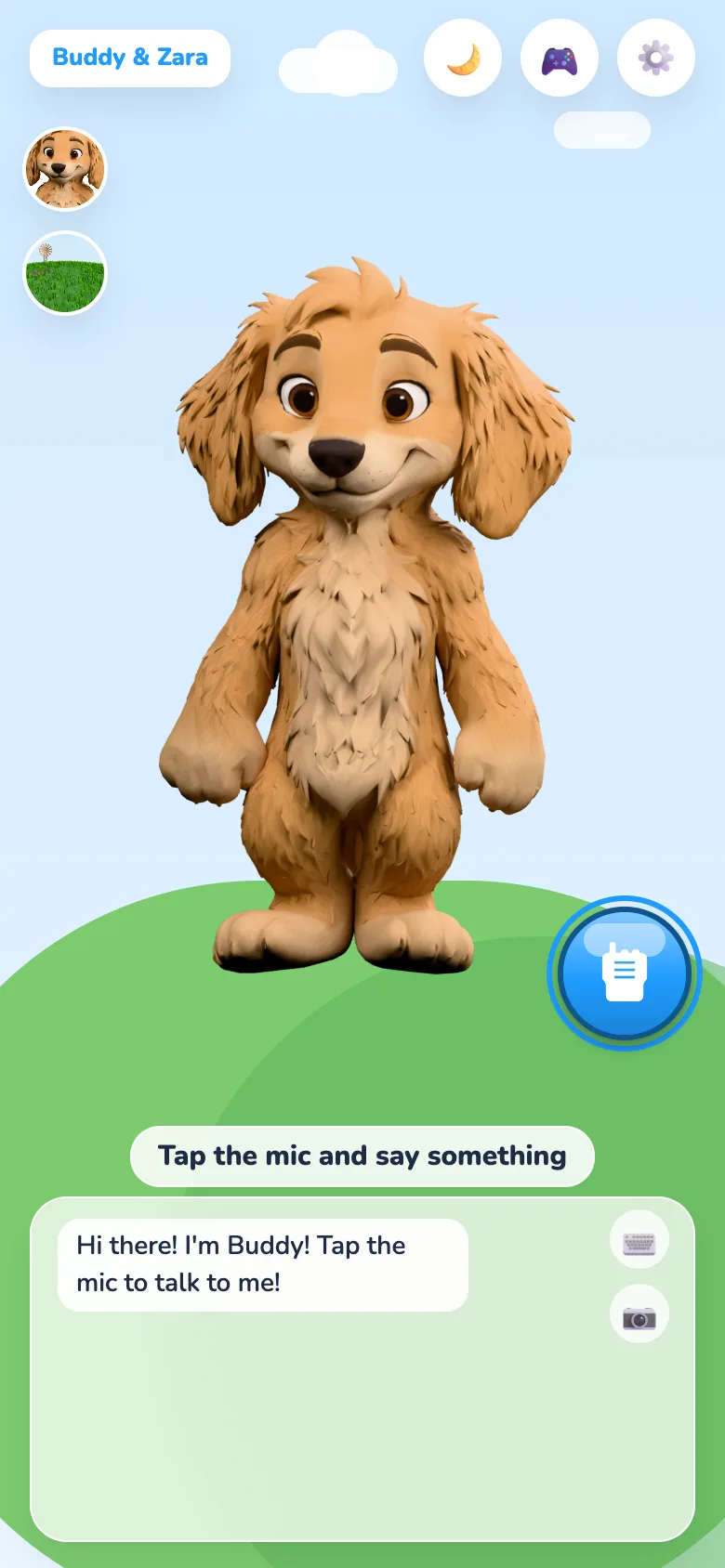
The Sidekick home screen: a 3D dog on a green hill with a big blue microphone button and the greeting: Hi there! I'm Buddy! Tap the mic to talk to me!
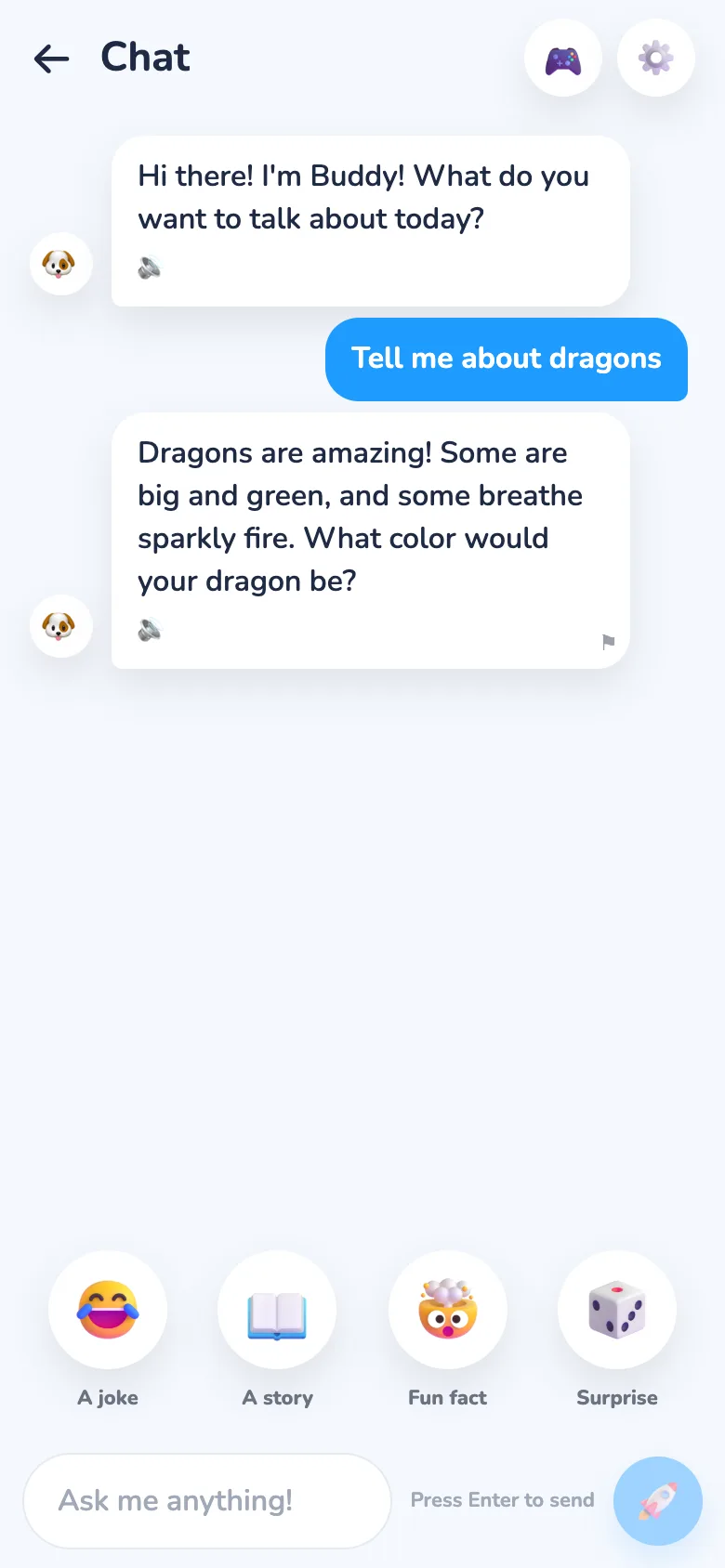
A chat in the app. The child asks: Tell me about dragons. Sidekick says some dragons are big and green, some breathe sparkly fire, and asks what color the child's dragon would be. Quick buttons below read A joke, A story, Fun fact and Surprise.

Their sidekick, their way

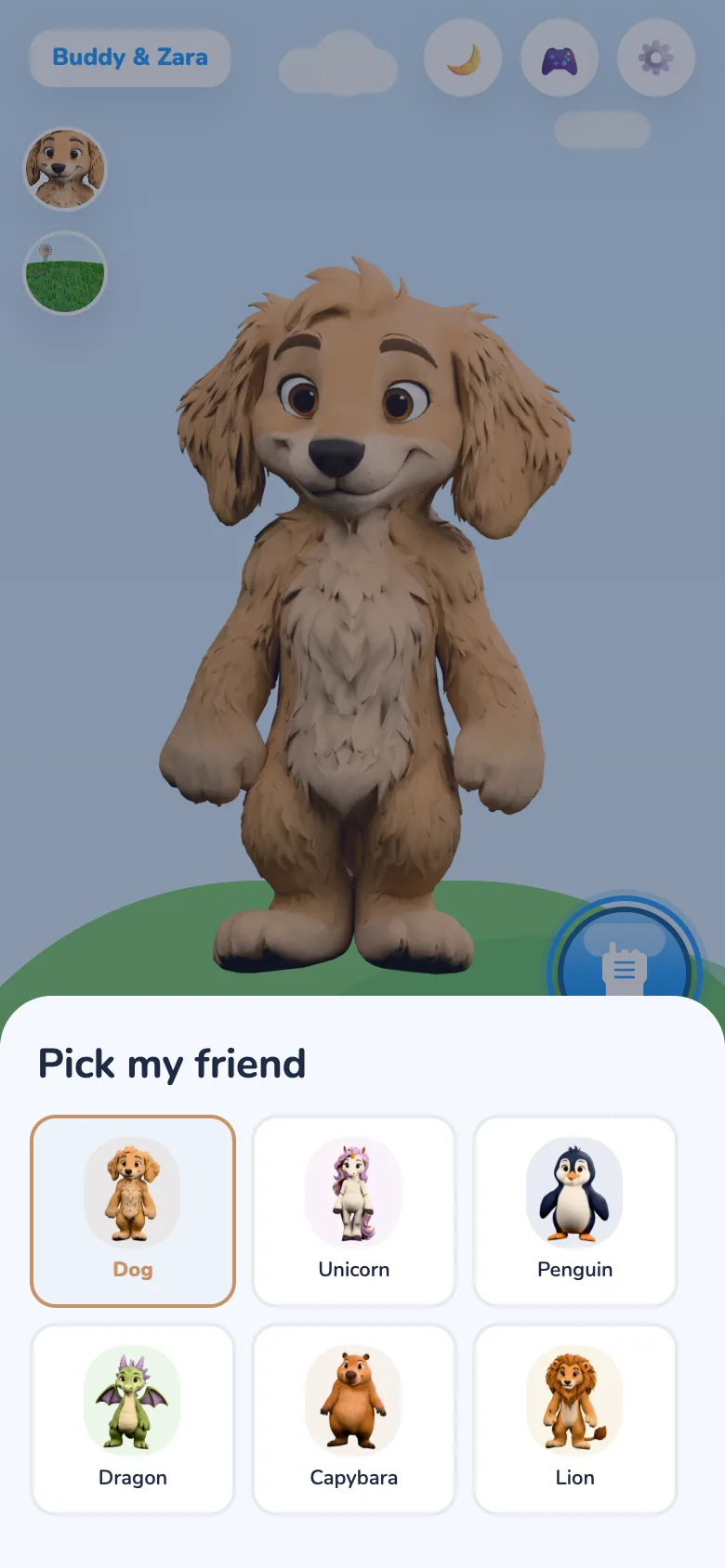
Kids pick a dog, unicorn, penguin, dragon, capybara or lion, give it any name they like, and choose how it sounds. Then they send it to the beach, a snowy hill, the forest, their bedroom or the moon, by day or by night.

With a parent's consent, a child can record a short sample so Sidekick speaks in a voice that sounds like them.

The Pick my friend sheet with six 3D characters to choose from: Dog, Unicorn, Penguin, Dragon, Capybara and Lion.
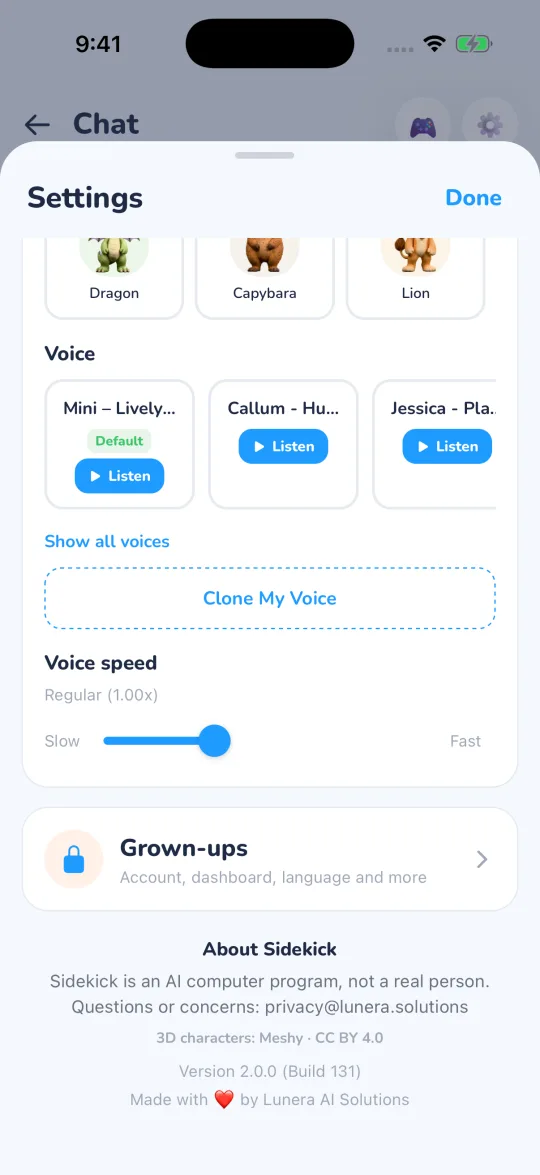
The Settings sheet scrolled down to Voice speed, a locked Grown-ups section for account and dashboard settings, and the About Sidekick footer.

Tricks and dances on request

Ask for a backflip, a spin, a high five or a game of peekaboo, and the sidekick does it. Every character has its own special trick and its own dances.

Tap the sidekick's nose, tummy or paws and it reacts. It looks back at your child and cups an ear to listen when they talk.

Seven arcade games, starring their sidekick

Quick tap-and-play games where your child's own sidekick is the hero: catch falling apples, run and jump over logs, find which cup it's hiding under, pop bubbles, unscramble words, and Remember my moves, a Simon Says-style memory game that adds a move every round.

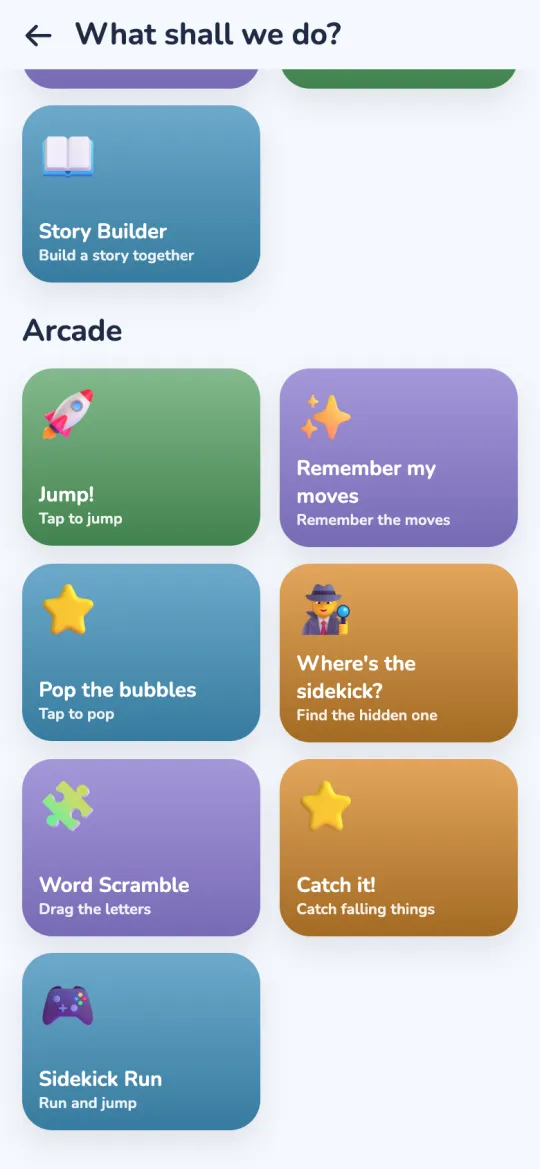
The Arcade section of the games screen: Jump, Remember my moves, Pop the bubbles, Where's the sidekick?, Word Scramble, Catch it! and Sidekick Run.
The arcade
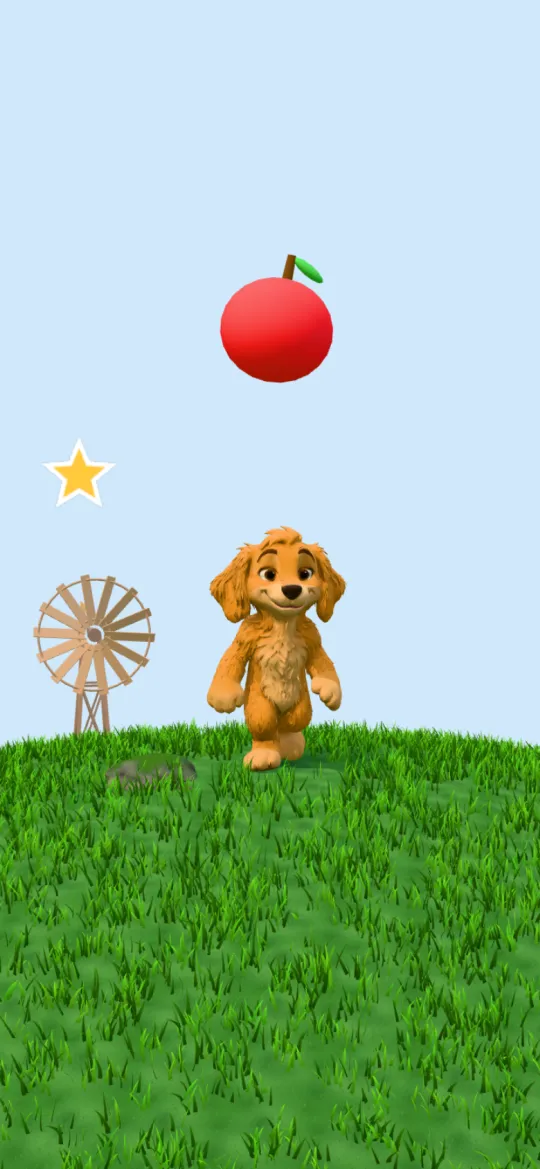
Catch it: an apple falls towards the dog sidekick on a grassy hill.
Catch it!
Sidekick Run: the dog runs towards a big star on a log.
Sidekick Run
Where's the sidekick: the dog peeks out from under a lifted red cup, next to two more cups.
Where's the sidekick?

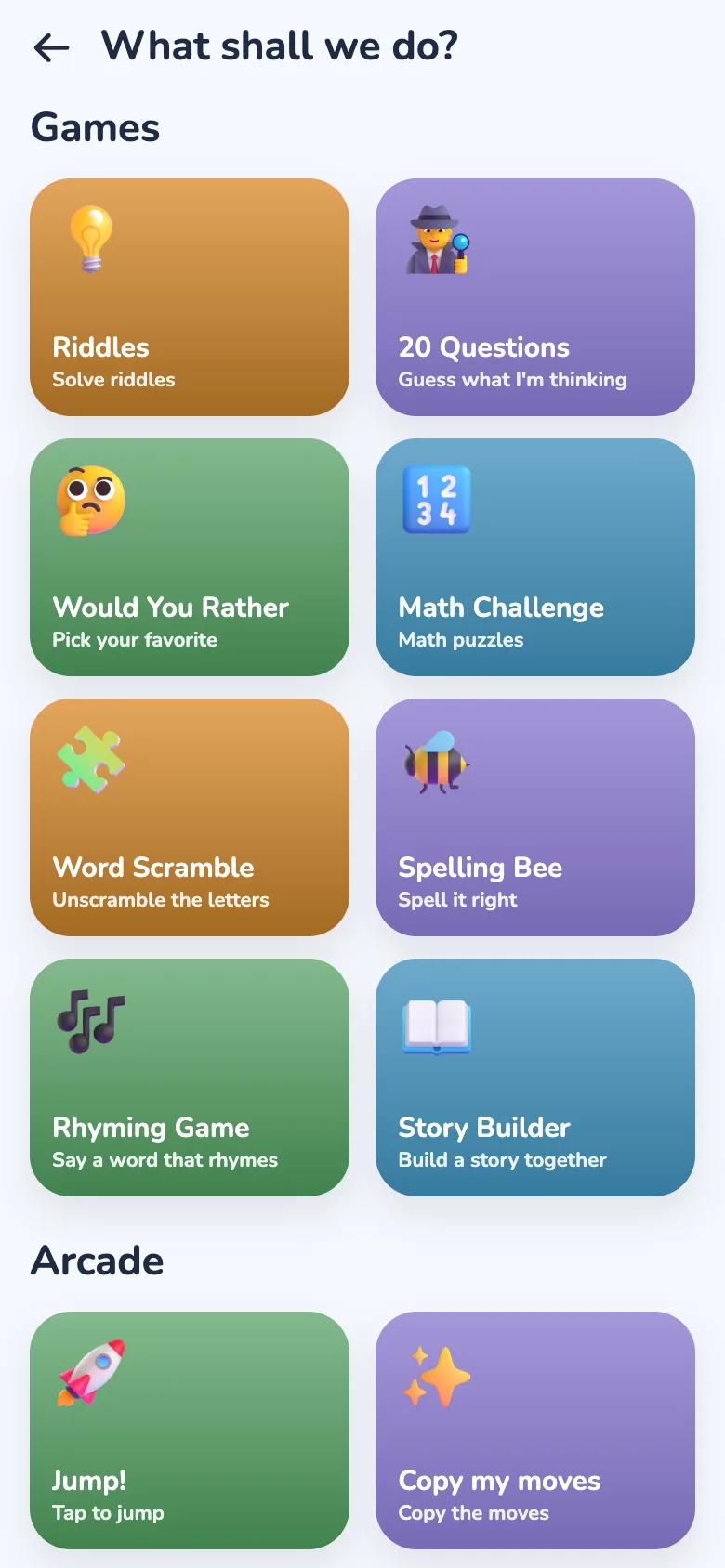
Eight games to play out loud

Games that practise words and numbers without feeling like homework.

  • Riddles
  • 20 Questions
  • Would You Rather
  • Math Challenge
  • Word Scramble
  • Spelling Bee
  • Rhyming Game
  • Story Builder
The What shall we do? screen: tiles for Riddles, 20 Questions, Would You Rather, Math Challenge, Word Scramble, Spelling Bee, Rhyming Game and Story Builder, and an Arcade section with Jump! and Copy my moves.

Helps them grow where you want

Tell Sidekick what your child is working on, and it helps along the way, gently and without lectures.

You pick what matters

Choose the things your child finds hard, like going to bed on time, eating veggies, screen time, sharing, tidying up or brushing teeth. Add strengths to build, like kindness, patience or bravery, or write up to three goals in your own words.

Woven in, never preachy

Sidekick slips your goals into chats and bedtime stories now and then, at your child's level. A dinosaur who stays up too late has no energy to find breakfast. It's never more than once a chat or about one story in three, and Sidekick never says a parent asked.

See it happen

The parent area shows how often each goal came up this week, so you know what Sidekick has been working on with your child.

Learning at their level

Math, spelling, rhyming and word games get easier or harder to match your child's age, so younger kids aren't stuck and older ones stay challenged.

Bedtime mode, for winding down

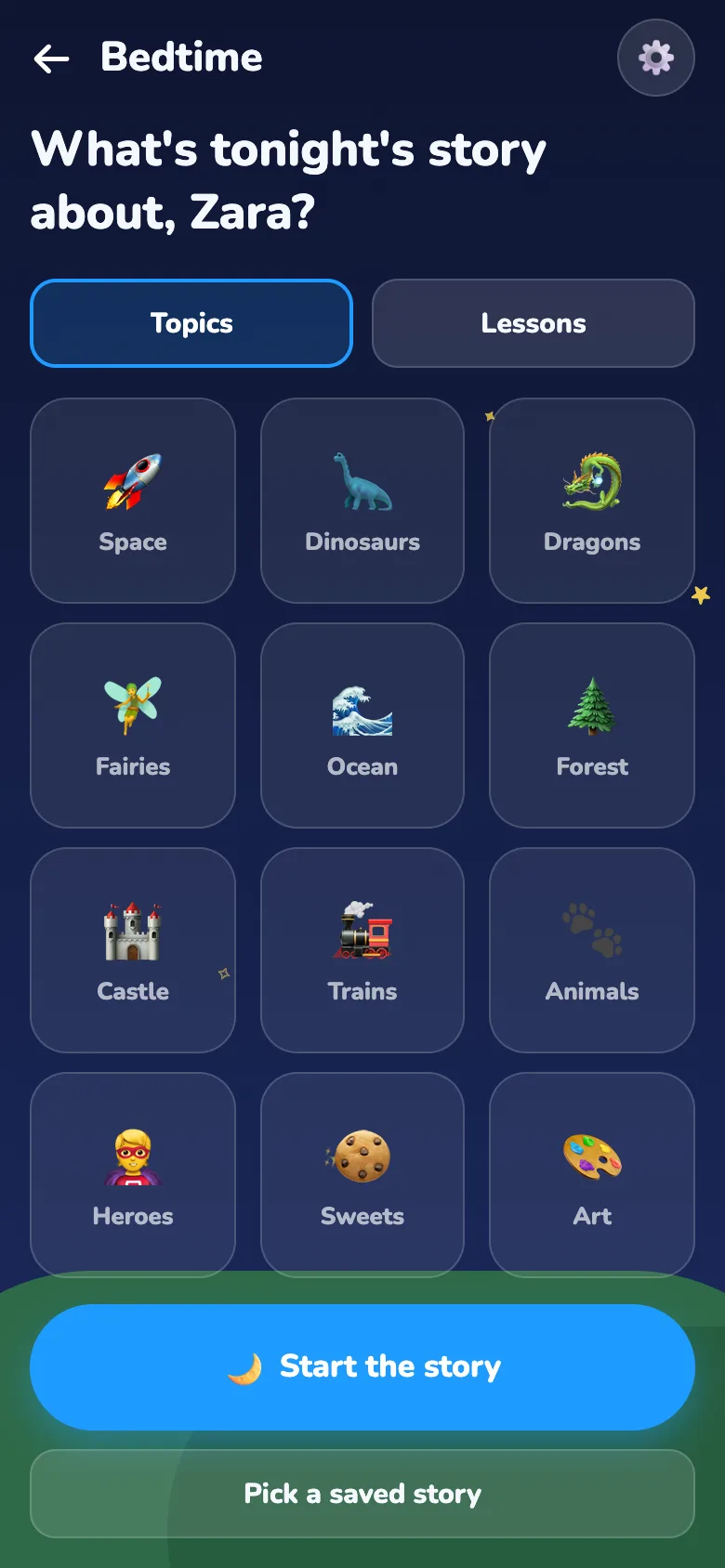
Your child picks a topic, like space, dinosaurs or the ocean, or types their own idea. Sidekick makes up a story for them and reads it in a slower, calmer voice.

  • Stories up to 10 minutes long
  • A gentle lesson woven in: kindness, sharing, courage, friendship, honesty, healthy eating, screen time, sleep, patience or gratitude
  • Dials for how funny and how scary, including no scary bits at all
  • Save the favourites and hear them again another night
The dark bedtime screen asking: What's tonight's story about? Topic tiles include Space, Dinosaurs, Dragons, Fairies, Ocean, Forest, Castle, Trains, Heroes, Sweets and Art, above Start the story and Pick a saved story buttons.

Built for parents, too

A grown-up creates the account, sets up each child's profile and gives consent before a child uses it. Here's what the app does to keep things safe.

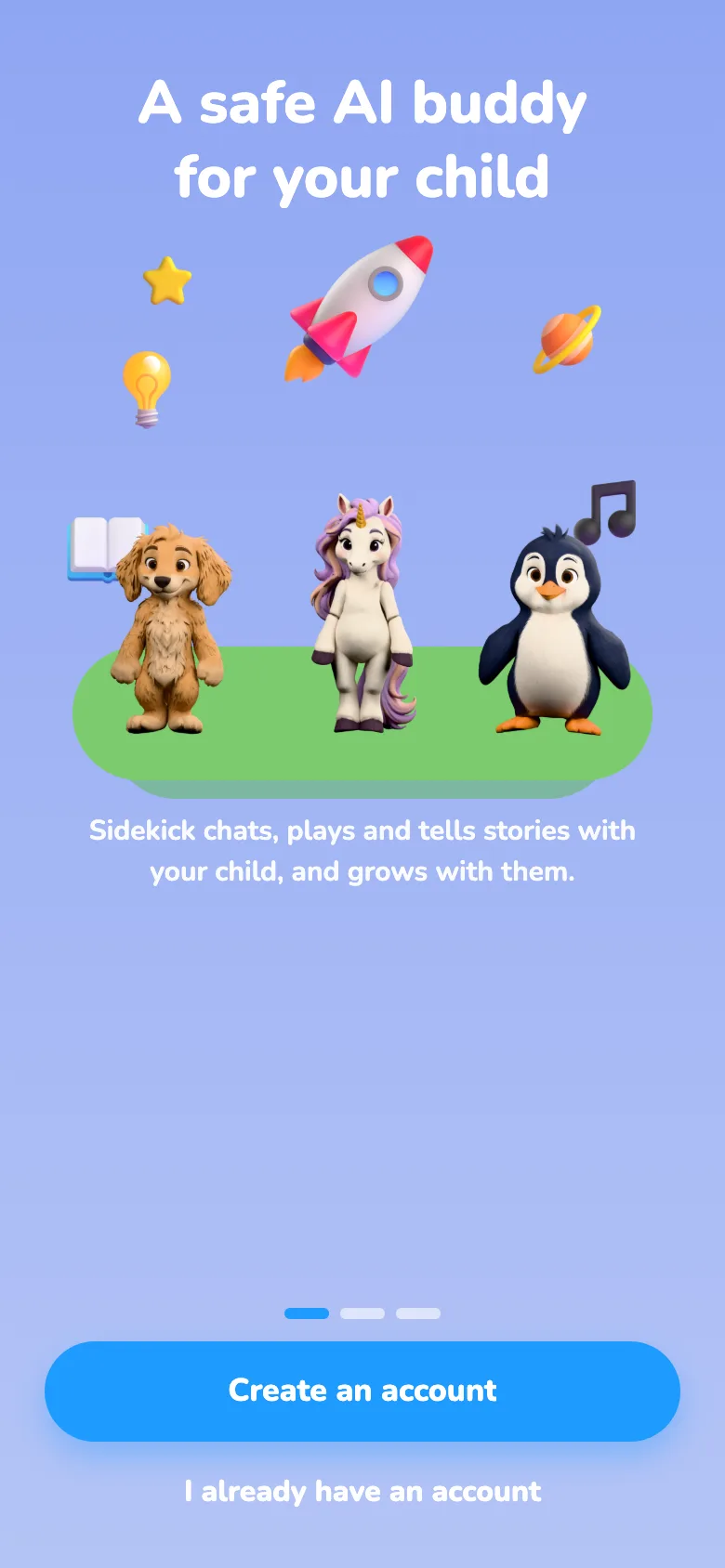
The welcome screen: A safe AI buddy for your child, with the dog, unicorn and penguin on a green hill. Below: Sidekick chats, plays and tells stories with your child, and grows with them.

Honest about being AI

Sidekick says it's a computer, not a real person, on the welcome screen, at the top of the home screen and in its own greeting.

Checked before and after every reply

Messages go through safety filters and moderation. Sidekick keeps to topics that suit young children and steers away from anything scary or grown-up.

Personal details stay out

Messages containing a phone number or email address are blocked, and links, phone numbers and email addresses are removed from replies.

Worrying moments reach you

If a child mentions self-harm or abuse, Sidekick replies with a fixed, reviewed message telling them to talk to a trusted grown-up, and a critical alert appears on your dashboard.

A parent dashboard

See each child's week at a glance: minutes, messages, recent safety alerts and any replies your child flagged. Set growth goals and Sidekick nudges them now and then.

One tap to flag a reply

Every Sidekick reply has a small flag, so a child can report anything that felt mean, scary or wrong.

Break reminders

After 15 minutes of chatting, Sidekick suggests taking a break.

Grown-up settings stay locked

The parent area sits behind your own PIN, and account settings behind a grown-up check.

No ads, nothing to buy

No advertising, no in-app purchases, and the Android advertising ID is blocked.

No chatting with strangers

Kids talk only to Sidekick. There are no social features and no way to message other users.

Delete everything, any time

Delete a child profile, or the whole account with every conversation, story, alert and cloned voice, straight from Settings.

Usage data without the words

The usage stats we keep to improve the app record things like which feature was used and for how long, never what your child said.

Questions parents ask

When can we download it?

AI Sidekick isn't in any app store yet. It's coming to Google Play first, with the Apple App Store to follow. Join the early-access list and we'll tell you as soon as you can try it.

How much will it cost?

Early-access families try it free. We'll share pricing before the public launch, and people on the early-access list hear first.

Which languages does it speak?

English for now. More languages are on the way.

What ages is it for?

Kids aged 4 to 12. Sidekick adjusts to each child's age: simpler words and easier games for little ones, more depth for older kids. A parent can change the level in the parent area.

Will my child think Sidekick is a real person?

Sidekick tells them it isn't. It introduces itself as a computer friend, and the home screen always shows "Sidekick is an AI, not a real person".

Where do my child's messages go?

To make replies and voices, messages and voice are sent to our AI providers: OpenAI, Google (through OpenRouter) and ElevenLabs. These providers may keep data briefly for abuse monitoring. Conversations are kept with your child's profile while it exists, and you can delete them at any time. The privacy policy has the full detail.

How do I delete our data?

In the app, go to Settings, then Grown-ups, then Delete account. That removes your account, every child profile, all conversations, stories, alerts and any cloned voices. You can also follow the steps on the account deletion page.

Are there ads or purchases?

No. The app shows no ads and has nothing to buy inside it.

Who makes AI Sidekick?

Lunera AI Solutions FZC, a small software company that builds AI-powered apps. Questions about privacy go to [email protected].

Want to try Sidekick early?

Tell us a little about your family and we'll invite you when there's a spot. It goes straight to our team, and we only use it to reply to you.

Please don't include your child's name or other details about them. See the privacy policy.